
Who Owns Each Cloud Dollar
From 1 February 2027, Operations finds each AWS and Azure account's owner and explains the bill.
See the ProductTrial until 1 February 2027: you pay only if you choose to continue.
From Use Case to Ongoing Operation,with Agents and FDE on site.
Photograph: Aoraki/Mount Cook over Hooker Lake, Canterbury, New Zealand
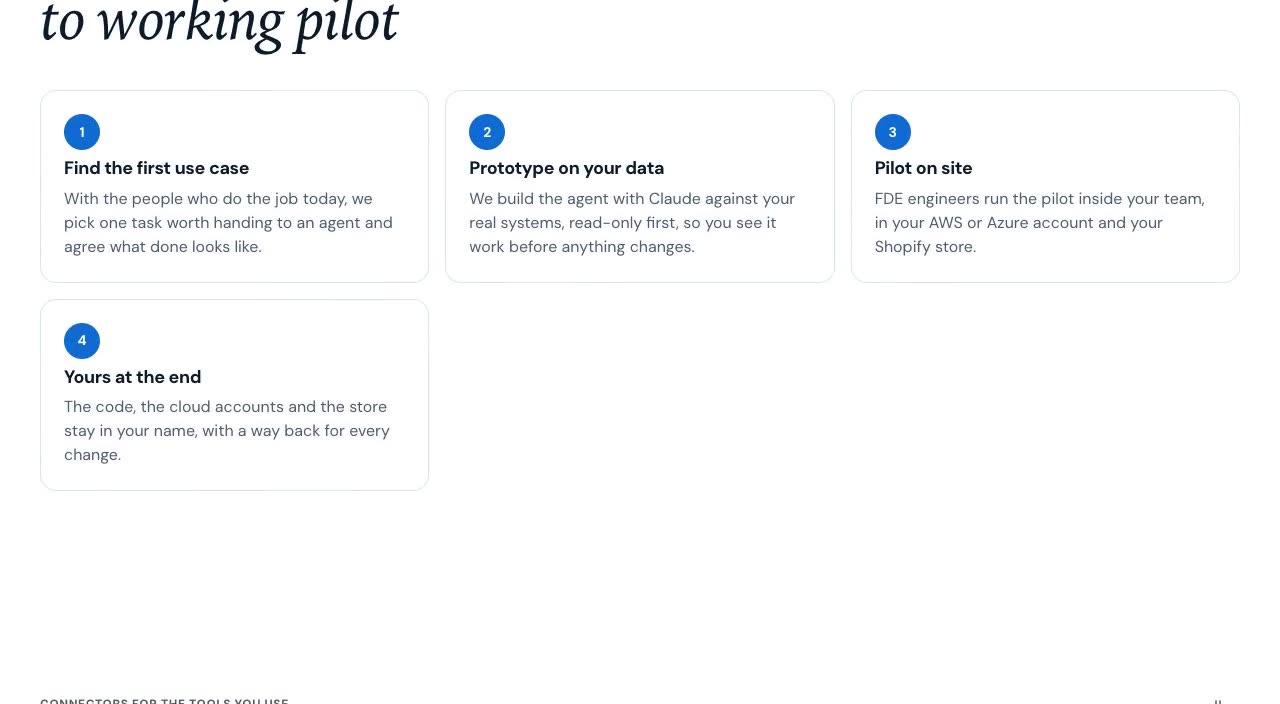
01From first use case to a working pilot, on site
Photograph: Emerald Lakes, Tongariro National Park, New Zealand
FDE engineers work beside your team, on site, until one real job runs on agentic AI in your systems.
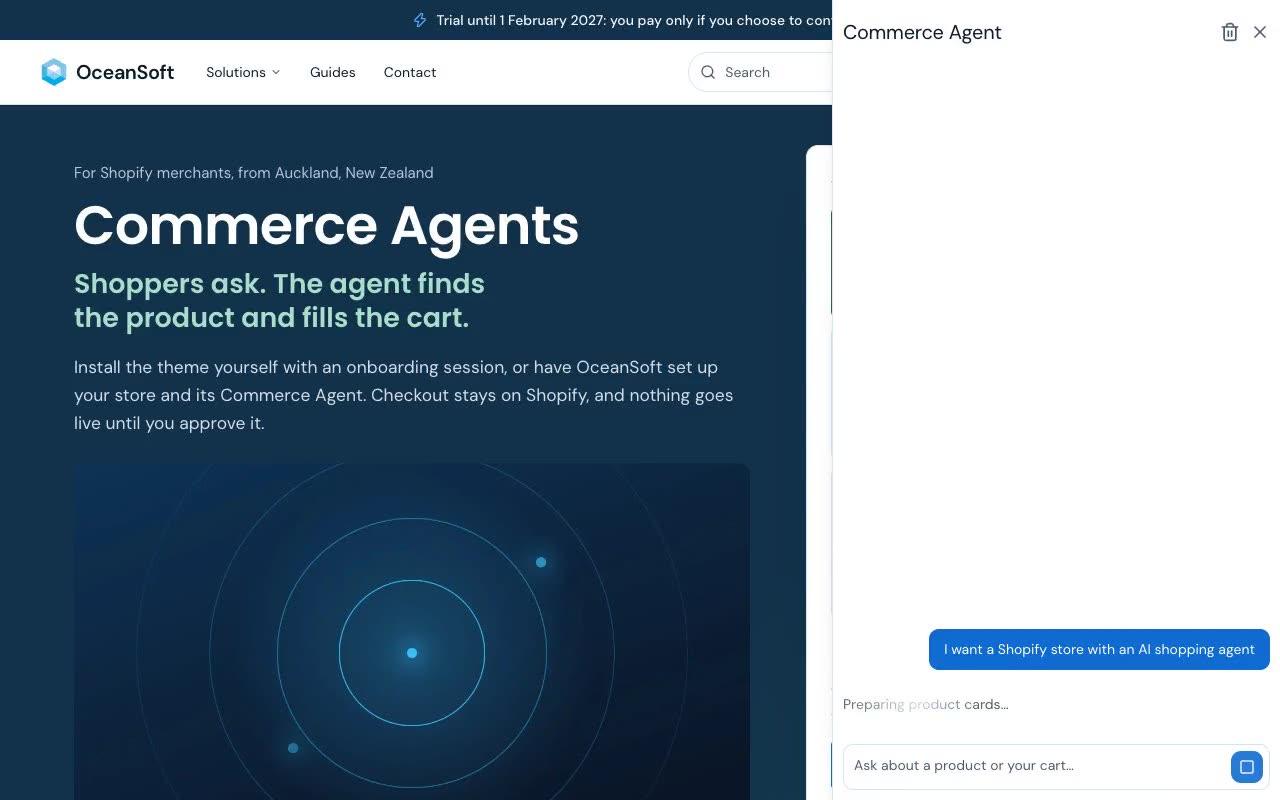
Ask the Commerce Agent where to start
With the people who do the job today, we pick one task worth handing to an agent and agree what done looks like.
We build the agent against your real systems, read-only first, so you see it work before anything changes.
FDE engineers run the pilot inside your team, in your AWS or Azure account and your Shopify store.
When the pilot proves itself, it moves into daily work with the same engineers, and every change comes with a way back.
The code, the cloud accounts and the store stay in your name.
The Commerce Agent and both storefronts below are running today on www.oceansoft.io and shop.oceansoft.io.
See the Product02Anthropic Claude Today, OpenAI Next
Photograph: Church of the Good Shepherd, Lake Tekapo, New Zealand
Agents that read your systems, decide by your rules and act only with your approval.
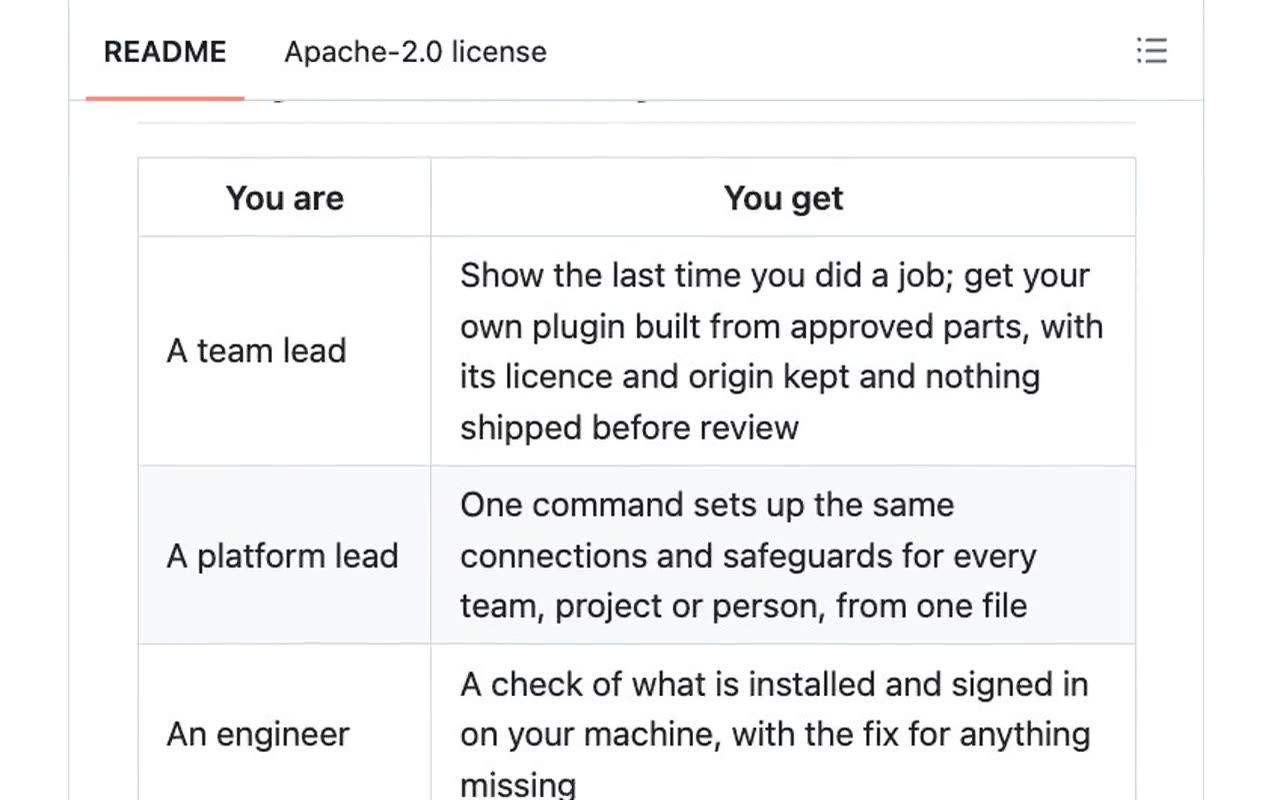
Show 1xops a job your team already does, and it builds your own plugin from approved, tested parts.
Talk to Us1xops connects your assistant to your AWS, Azure, Jira and Confluence so it can read, and change nothing until you say so.
See the ProductEach reply is written by Claude, with OpenAI as the fallback, both set not to store requests.
See the ProductFrom 1 February 2027, Cloud Operations finds the owner of each AWS and Azure account and drafts each fix with a way back.
See the Product03A Shopify Store That Sells by Asking
Photograph: Bay of Islands, Northland, New Zealand
The agent answers in the shopper's words, searches your catalogue and fills the cart. Shopify takes the payment.
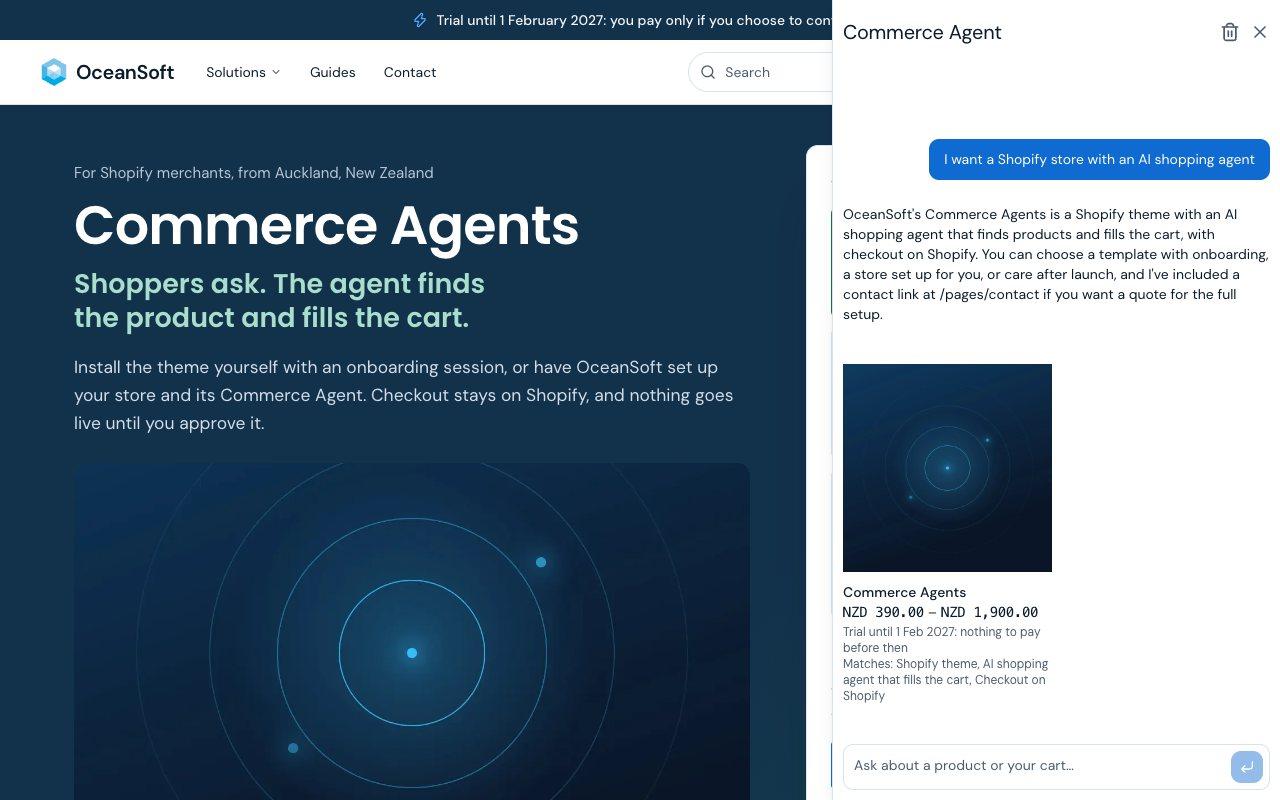
Shoppers describe what they need, and the agent returns real products from your catalogue with their prices.
See the ProductThe agent adds, swaps and removes lines on request, and never touches your products or prices.
Refund, shipping and privacy questions are answered from the policies in your Shopify admin.
A question outside your catalogue and policies gets an honest answer and a way to contact you.
When the main model fails, the agent answers with a fallback model, so shoppers still get a reply.
Every product card the agent shows lists the reasons it fits the request.
For a product with several options, the agent shows a picker before anything goes in the cart.
A shopper can close the panel and pick up the conversation later on the same device.
Each conversation has a question limit and requests are rate limited, so model costs stay predictable.
04AWS and Azure, From 1 February 2027
Photograph: Milford Sound, Fiordland, New Zealand
Cloud weather never holds still: a new account, a spike in the bill, a change nobody owns. Operations reads it as it comes and drafts each response with a way back.
From 1 February 2027, Operations finds each AWS and Azure account's owner and explains the bill.
See the ProductFrom 1 February 2027, every drafted fix comes with the steps to undo it; your people approve and apply each change.
05A Fast Storefront on Shopify
Photograph: Queenstown and Lake Wakatipu, Otago, New Zealand
A fast storefront built on Shopify's Storefront API, with the same catalogue and checkout as your store.
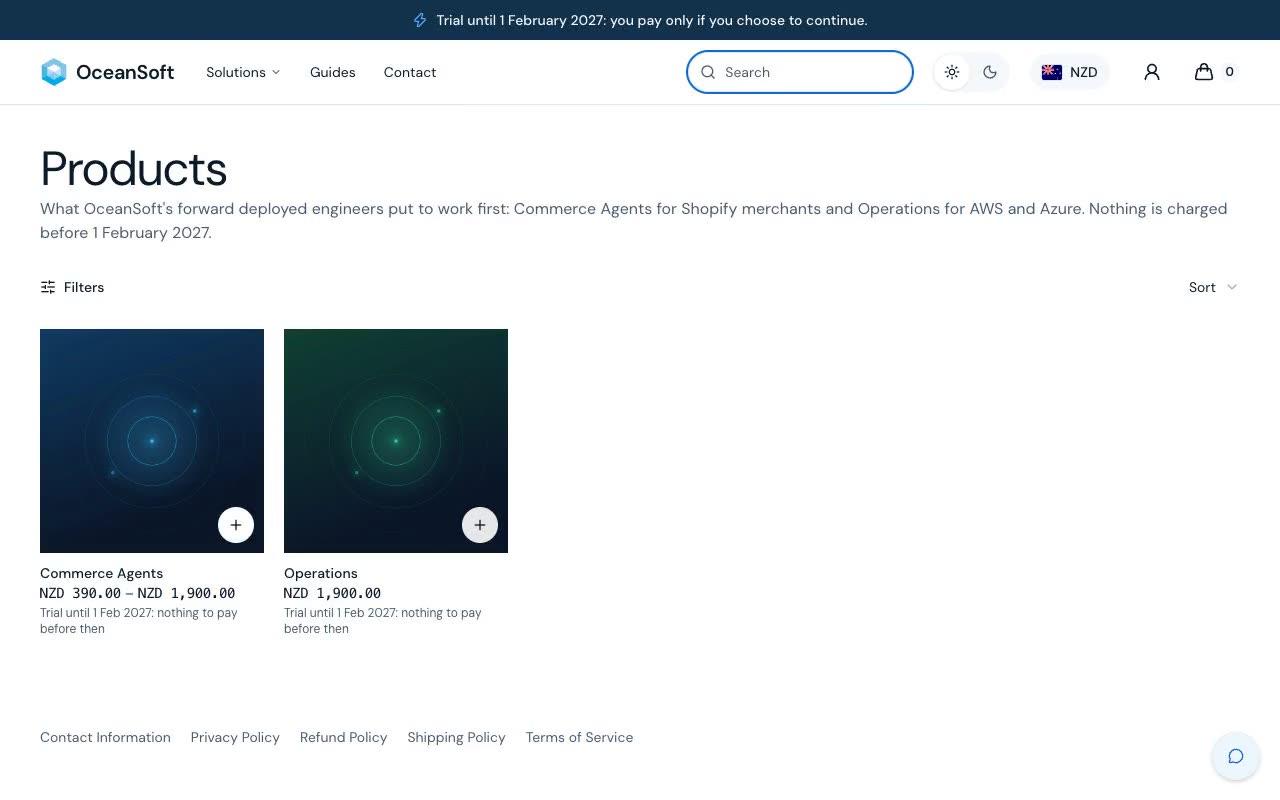
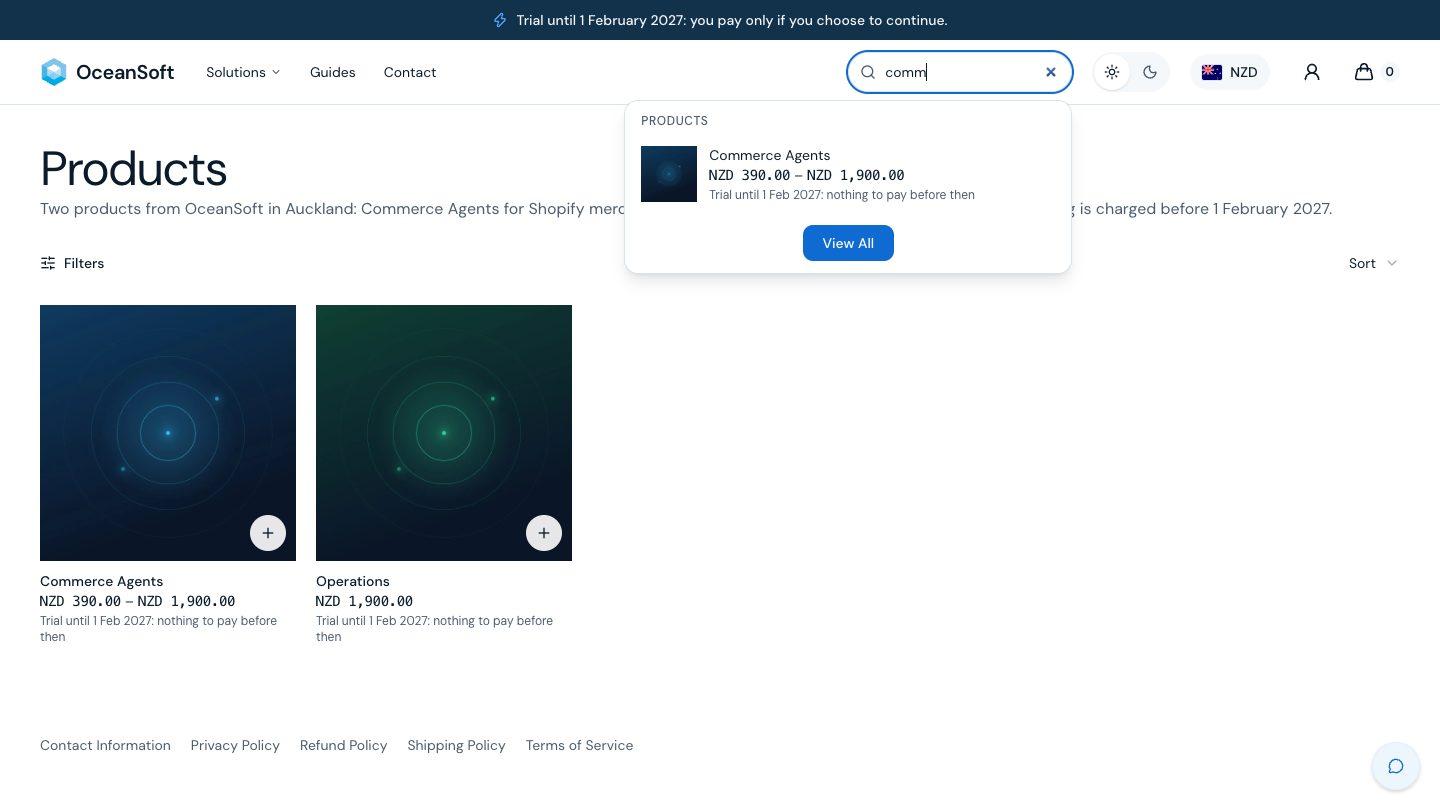
Predictive search in the header shows products and pages from the first letters.
Try Search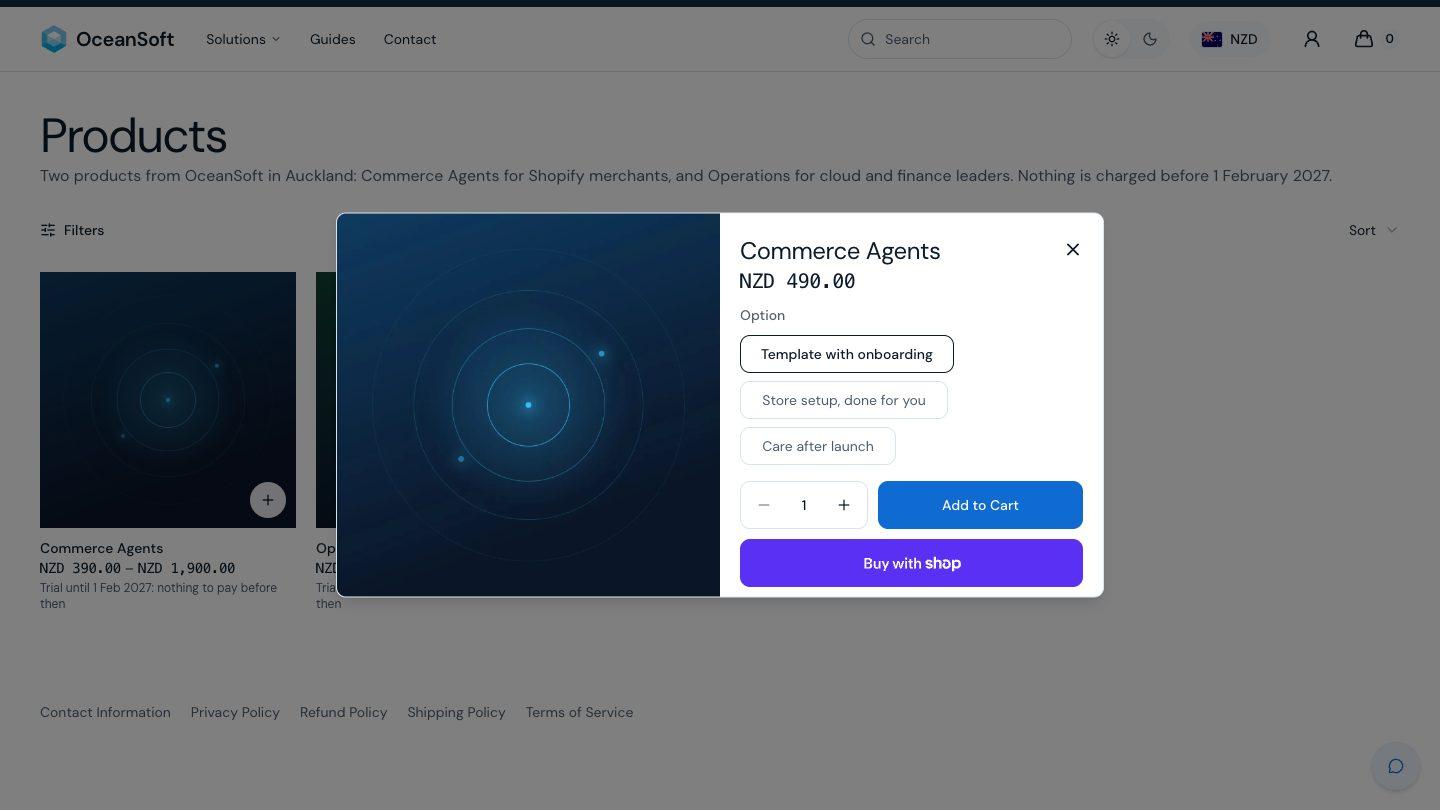
One panel with a tile per product and a direct line to the team.
The header shows Sign in to visitors and Account to customers, with Shopify's customer accounts.
Shoppers pick their market, and the cart keeps its lines across the change.
Shoppers switch the theme in the header, and the choice stays after a reload.
22 retired product addresses send shoppers to the right page on both storefronts.
One line above the header carries the trial date on every page.
06Shopify, AWS, Azure and Your Team's Tools
Photograph: Hokitika Gorge, West Coast, New Zealand
Agents work inside the tools you already run: a native Shopify theme your team edits in the theme editor, your AWS and Azure accounts, and the apps where work happens.
The same store as a Liquid theme, edited by your team in Shopify's theme editor.
Read the GuideScrolling strips show the tools each product connects to.
The theme ships as the zip a merchant uploads in Online Store, Themes.
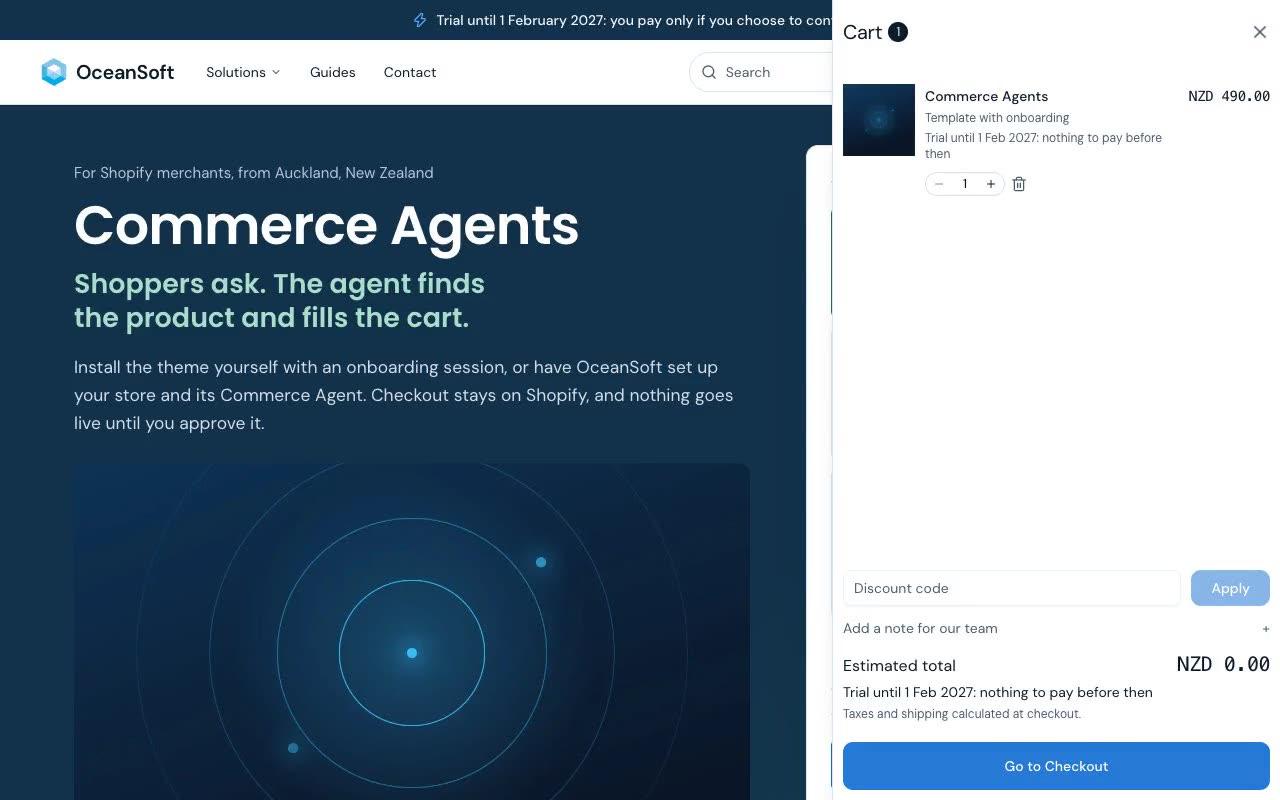
Add to cart opens a drawer with the lines, the total and checkout, without a page load.
The search box sits in the header on every page, at every width.
Questions on the home and product pages carry FAQ data that search engines read.
The theme follows the shopper's choice of light or dark.
07Buy With Confidence
Photograph: Abel Tasman National Park, Nelson Tasman, New Zealand
You see the real price before you pay anything, and nothing is charged before 1 February 2027. Payment runs on Shopify's checkout, so no card details touch our servers.
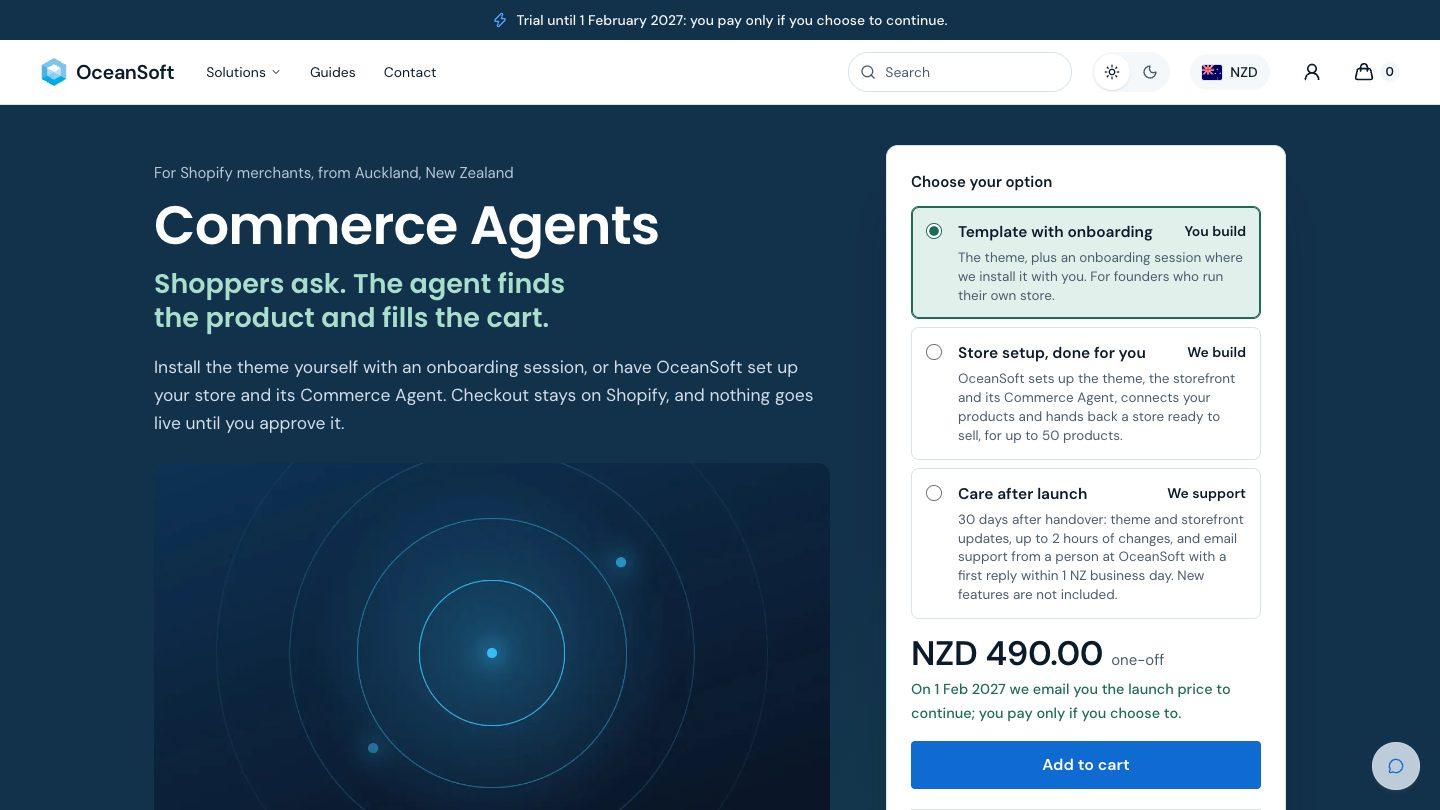
Every product shows its real price and "Trial until 1 Feb 2027: nothing to pay before then".
Payment, tax and receipts run on Shopify's checkout, with no card details on our servers.
Shoppers apply a code in the cart before they go to checkout.
08Found and Recommended by AI Assistants
Photograph: Mitre Peak, Milford Sound, Fiordland, New Zealand
AI assistants can read and recommend your store without guessing.
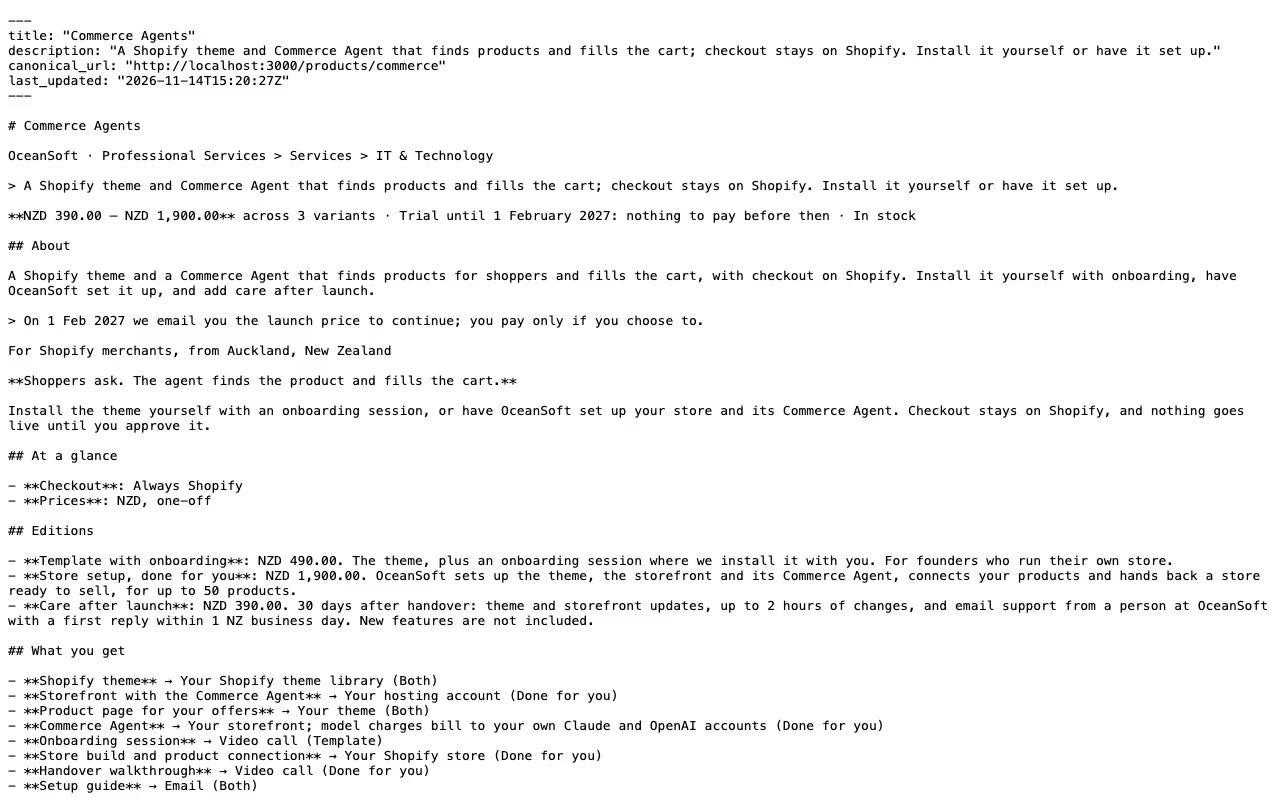
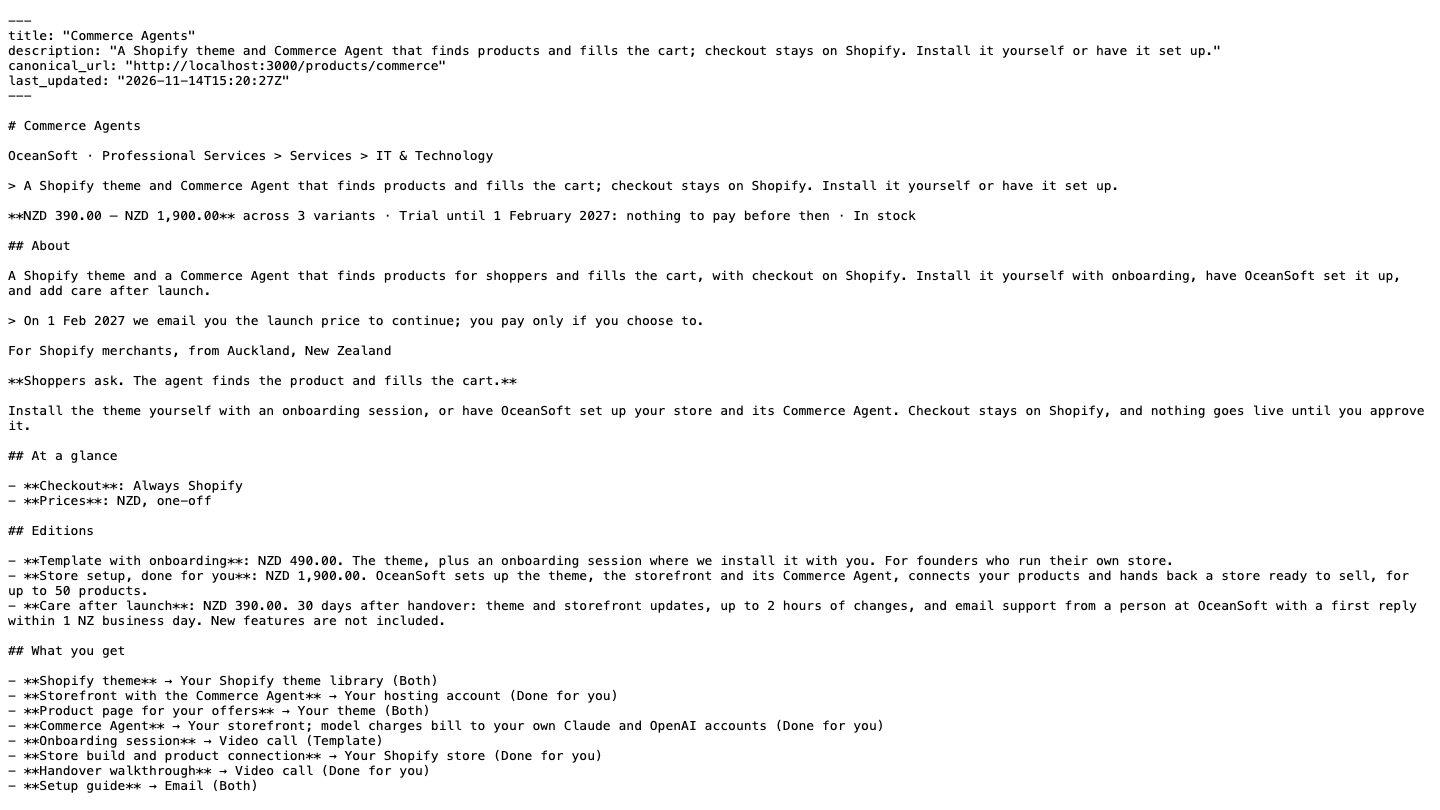
Products, collections and guides answer a Markdown request with clean text and prices.
Products, breadcrumbs and questions carry schema.org data that search engines read.
Search engines and assistants find every page from one sitemap.
Open the FileWhat an assistant reads, and what a merchant can do about it.
Read the Guide09Learn by Doing
Photograph: Cathedral Cove, Coromandel, New Zealand
One set of guides, published on the Shopify blog and on www.
Read the GuideWhich storefront fits your store, and when to add the agent.
Read the GuideEach guide card says what you will learn and who wrote it.
Read the Guide10Quality You Can Check, and What Ships Next
Photograph: The road to Aoraki/Mount Cook, Canterbury, New Zealand
Each release is checked at 1440, 768 and 390 pixels, in light and dark, for overflow, contrast and tap targets.
A sync check confirms that products, menus and pages match on the Liquid store and on www.
The deploy workflow runs on our own computer before each push, and its production step proves it stops without a real key.
The same sync check confirms every retired product address redirects on both storefronts.
Shoppers leave a note in the cart, for example a time to call before onboarding.
Products with several options get a picker and Add to cart right on the card.
Cart lines show the option's real price and the trial line, never a bare zero.
Prompts on this page open the agent with the question ready to send.
Asked what something costs, the agent answers from Shopify with "from" and the trial line.
Tell us the job you want AI to do. FDE engineers scope the pilot with your team, on site, and stay with it into operation.